How Does CCTV Work: A Simple Guide to Understanding Security Cameras
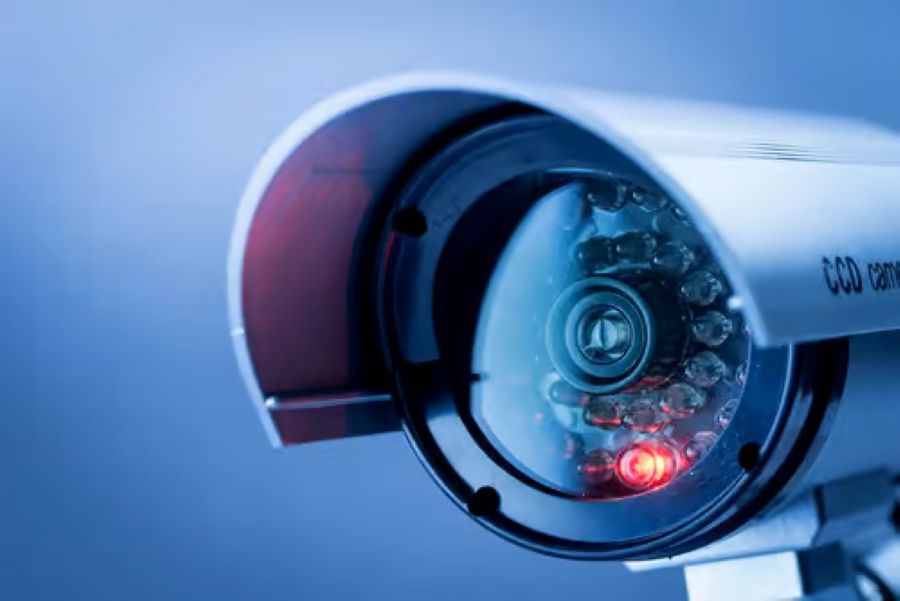
Security cameras have become a standard part of protecting homes and businesses. But how do they actually work? This guide breaks down the basics of CCTV systems, including camera types, storage options, and remote access. An expert IT support team can help you choose and set up the right system for your property. By the end of this post, you’ll have a clear picture of what makes these systems tick and how they keep your space secure.
History of CCTV Technology
CCTV technology dates back to the late 1940s when the German army used it to monitor V2 rockets. Since then, closed-circuit television has grown into a worldwide surveillance tool. The 1960s brought smaller video cameras and cassette recorders, making CCTV more practical for everyday use. Digital recording and high-definition cameras came later, giving users clearer images and better storage options. Today’s systems include motion detection, remote access, and cloud storage for more reliable security coverage.
Components of a CCTV System
A CCTV system consists of several components that work together. Cameras capture the footage while monitors display it live or from recordings. A Digital Video Recorder (DVR) or Network Video Recorder (NVR) stores and organizes everything that’s captured. Power comes from batteries or electrical outlets. Coaxial or Ethernet cables move data between cameras, recorders, and monitors. Operators watch feeds from a control room or viewing station. Mounts, housings, and connectors round out the setup and keep everything running properly.
Camera Types and Features
Different CCTV cameras have their own strengths, and choosing the right one depends on what you need to monitor. Here are three factors to consider:
- Camera Type: Dome, bullet, and PTZ cameras each serve different purposes depending on the area and functionality required.
- Resolution: Higher resolution means sharper images, but it also takes up more storage space.
- Night Vision: Cameras with infrared capabilities perform better in low-light settings.
Each of these factors affects how well your system performs overall.
Video Recording and Storage
Recording quality and storage management are core parts of any CCTV setup. DVRs work with analog cameras by converting video signals to a digital format. NVRs pair with IP cameras and record directly in digital format. When choosing storage, consider resolution, frame rate, how long you need to keep footage, and how many cameras you’re running. Hard disk drives (HDDs) remain popular because they’re reliable and affordable. For bigger systems, network-attached storage (NAS) or cloud options offer room to grow. Setting up your recording and storage correctly makes it easier to find and pull footage when you need it.
Remote Monitoring and Access
Remote access lets you watch live feeds and manage your CCTV system from anywhere through software and network connections. Here’s what makes it work:
- Secure Connections: Encrypted protocols protect communication between you and the system, keeping unauthorized users out.
- Multi-Device Compatibility: Modern systems let you view feeds from smartphones, tablets, and computers.
- Alert Notifications: The software can send you alerts for events such as motion detection or system issues right when they occur.
Benefits and Considerations of CCTV
CCTV systems offer significant security advantages. Visible cameras often deter criminals before anything happens. If an incident does occur, recorded footage provides solid evidence for investigations. Remote access lets you monitor your property in real time and respond quickly to potential threats. On the flip side, privacy concerns matter; ensure your system complies with local regulations and ethical guidelines. Regular maintenance and upgrades keep everything running smoothly and reliably. Knowing both the benefits and the responsibilities helps you get the most out of your surveillance setup.
Related Topics: