
What Is a CCTV System and Its Key Components
Security cameras aren’t just for banks and big-box stores anymore. Homeowners and small business owners now rely on CCTV systems to protect their properties, monitor daily operations, and keep an eye on things when they’re away. This guide breaks down exactly what makes up a CCTV system and how each part works together. We’ll cover camera types, recording devices, cables, monitors, and remote access options. Partnering with dependable IT support services can help you choose and install the right setup for your specific needs.
Understanding CCTV Systems
CCTV stands for Closed-Circuit Television. Unlike broadcast TV, CCTV footage remains within a private network and can be viewed only by authorized users. A basic system has four main parts: cameras, monitors, recorders, and cables. Cameras capture video of the area you want to watch. Monitors let you see that footage in real time. Recorders save everything so you can review it later. Cables connect all these pieces and keep data flowing between them. Once you understand how these components fit together, picking the right system becomes way less confusing.
Types of CCTV Cameras
Different cameras serve different purposes, so knowing your options helps you make smarter choices.
- Dome cameras work well indoors because they blend in and offer wide viewing angles.
- Bullet cameras are better for outdoor use; their long, narrow shape gives you focused shots of specific areas.
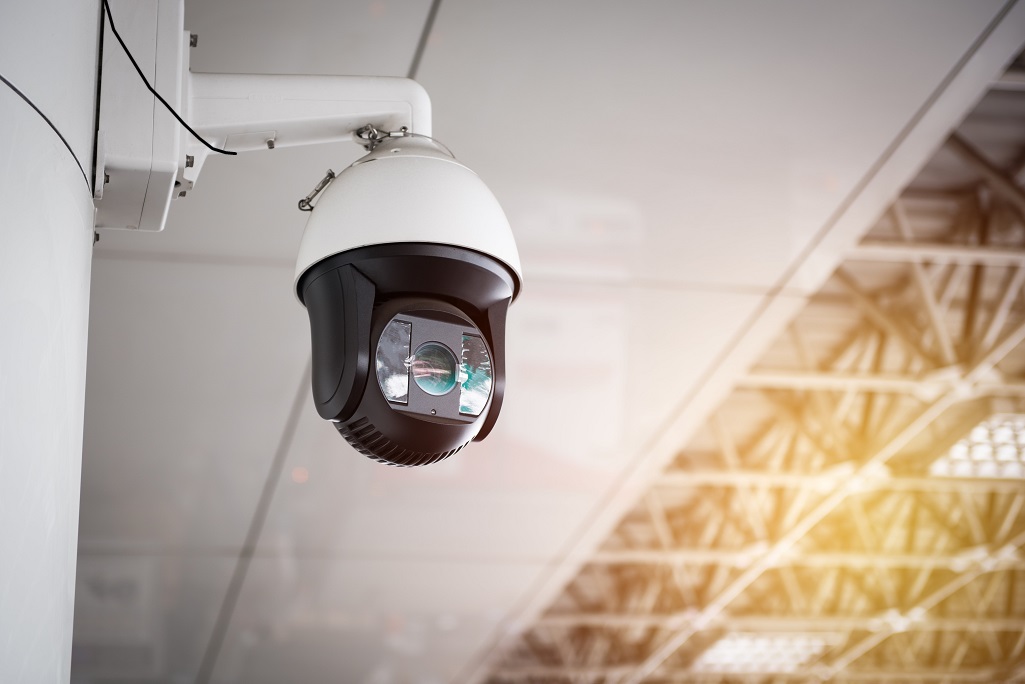
- PTZ (Pan-Tilt-Zoom) cameras let you remotely adjust the angle and zoom level to cover large spaces.
- Thermal cameras detect heat signatures, making them a solid choice for dark environments.
- Day/night cameras automatically switch between color and black-and-white depending on lighting conditions.
- Infrared (IR) cameras use infrared light to capture footage in complete darkness.
Each type has strengths that fit certain situations, so think about where you’re placing them before buying.
DVR/NVR: Recording Devices
Your recording device stores all the footage captured by your cameras. There are two main options: DVRs and NVRs.
A Digital Video Recorder (DVR) works with analog camera systems. It takes the analog signal from your cameras and converts it to digital files for storage. A Network Video Recorder (NVR) pairs with IP cameras and records digital streams directly without conversion.
Both devices come with different storage sizes, compression settings, and connection options. Pick one that matches your camera type and gives you enough space to store the footage you need. Getting this right means smoother playback and easier video management down the line.
Cables and Connectors
Cables create the communication path between your cameras and recorder. Most analog systems use coaxial cables because they handle video signals well and don’t lose much quality over distance.
BNC (Bayonet Neill-Concelman) connectors securely attach cables to both cameras and recording devices. Getting clean, proper terminations on these connectors keeps your signal strong and your footage clear.
You’ll also need power cables to keep your cameras running. These typically use DC power jacks. Knowing which cables and connectors your system requires prevents headaches during installation and keeps everything running smoothly.
Monitors and Displays
Monitors show you what your cameras see, either live or from recorded footage. You’ll find LCD, LED, and OLED options on the market today.
When choosing a monitor, consider resolution, screen size, and whether it works with your recorder. Higher resolution means sharper images, which matters when you need to identify faces or license plates. Split-screen features let you watch multiple camera feeds simultaneously without switching between them.
Where you put your monitor matters, too. Set it up in a spot with good viewing angles and minimal glare. Keep the screen clean and adjust brightness settings regularly to get the best picture quality and extend the monitor’s lifespan.
Remote Viewing and Control
Remote access lets you check your cameras from anywhere with an internet connection. Through secure apps or web platforms, you can watch live feeds, review saved footage, and adjust camera settings from your phone or computer.
This feature proves especially useful when something triggers an alert while you’re away. You can respond quickly to security issues or system problems without being on-site.
A remote control also lets you pan, tilt, and zoom cameras without touching the physical equipment. This flexibility means better coverage and faster responses when you need to track movement or focus on a specific area.
Related Topics: